When a Pakistani startup hands us their AWS account for a cloud security audit, we have a "usual suspects" checklist we hit in the first two hours. Nine times out of ten, we find at least four of these seven. They're not exotic vulns. They're the same misconfigurations we've been writing reports about since 2019. They persist because nobody re-audits IAM after the founding engineer leaves, because the CTO is busy shipping product, and because AWS defaults have always leaned toward "make it work" instead of "make it safe."
This post is the short version of that checklist. It's not a substitute for an actual engagement (a real audit pulls in CloudTrail logs, IaC, and a conversation with whoever wrote the original Terraform), but if you run an early-stage startup on AWS and you fix even half of these before we show up, your report will be a lot shorter and a lot cheaper. We've ordered them roughly by how often we find them, starting with the one that has been the subject of more breach headlines than anything else in cloud security history.
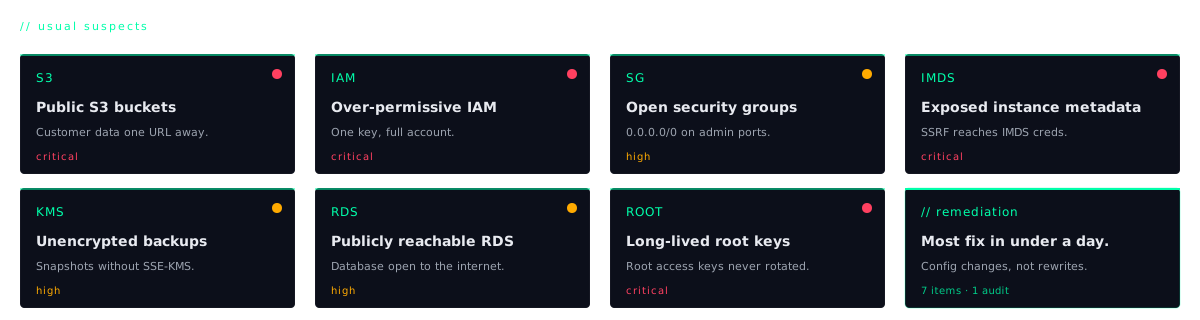
1. Public S3 buckets (or "public" via object ACL)
What we find. The classic. A bucket called company-backups-prod that someone made public in 2021 to share a single file with a contractor and then never locked back down. Or (more sneakily) a bucket whose bucket policy is correctly locked down, but where individual objects were uploaded with x-amz-acl: public-read from a CI job. The bucket reads as "private" in the console summary, but every object inside is world-readable.
Our first sweep is mechanical:
Why it matters. Customer PII, database dumps, source code, signed JWT keys. We have seen all of these in publicly-listable buckets belonging to companies that "don't have any sensitive data on S3." Once a bucket is indexed by a passive scanner like grayhatwarfare or buckets.io, it's findable forever, even if you fix the permissions the same day.
How to fix. Turn on Block Public Access at the account level (Settings → S3 → Account-level public access). This is one click and it overrides every individual bucket policy and ACL that might be wrong. Then audit each bucket for genuine public-asset use cases (marketing images, public landing-page hosting) and put those behind CloudFront with an Origin Access Identity instead.
2. Over-permissive IAM roles for EC2 and Lambda
What we find. A Lambda function whose only job is to read three rows out of one DynamoDB table, and the role attached to it has AdministratorAccess. Or an EC2 instance running the marketing website with a role that can write to every S3 bucket in the account. The pattern is always the same: a developer hit a permission error in staging, slapped a wildcard policy on it to unblock themselves, and never went back.
Why it matters. The blast radius of any application-layer bug is exactly the size of the IAM role it can assume. An SSRF in your Node.js app on EC2 leads to the instance metadata service, which hands the attacker temporary credentials for the role attached to that instance. If that role is AdministratorAccess, an SSRF just became a full account takeover. We have written that exact finding more times than we can count.
How to fix. Least privilege, mechanically applied. Scope every policy to the specific resource ARN it actually needs (arn:aws:dynamodb:ap-south-1:123:table/orders, not arn:aws:dynamodb:*:*:table/*) and to the specific actions (dynamodb:GetItem, not dynamodb:*). Use IAM Access Analyzer's "Generate policy from CloudTrail" feature. It watches what your role actually does for 30 days and writes a tight policy for you. Delete any in-line AdministratorAccess attachments to service roles immediately.
3. IMDSv1 still enabled on EC2
What we find. The Instance Metadata Service in its original (v1) form, which the Capital One breach made famous in 2019. IMDSv1 responds to any HTTP GET on 169.254.169.254 with no authentication. If your application has an SSRF (and most apps do, somewhere), the attacker can make the server fetch its own credentials and walk out with them.
Why it matters. IMDSv2 closes this hole by requiring a session-token PUT request before metadata reads, which most SSRF primitives can't perform. Capital One cost ~$80M in fines plus a class-action settlement, and the root cause was IMDSv1 plus an SSRF plus an over-permissive role. All three of these issues are on this list.
How to fix. Enforce IMDSv2 cluster-wide: set HttpTokens=required and HttpPutResponseHopLimit=1 on every launch template and existing instance. The hop limit prevents container workloads on the host from reaching metadata through the Docker bridge. AWS has a one-shot command for the whole account in the EC2 console under "Account attributes → Default credentials."
4. Long-lived access keys (especially root keys)
What we find. Access keys created in 2019, still active, last used last Tuesday, sitting in a ~/.aws/credentials file on a former employee's laptop, or hardcoded in a CI/CD pipeline that was migrated to GitHub Actions but nobody deleted the original key. The really painful version: root account access keys, which AWS has been warning users not to create since 2014 and which we still find on roughly one in five audits.
Why it matters. A long-lived key in a git repo, a Docker image layer, or a leaked laptop bag is a permanent backdoor. Root keys are catastrophic. They bypass every IAM guardrail, every SCP, every MFA requirement on individual users. There is no defence in depth once a root key leaks.
How to fix. Delete all root access keys today. Run an IAM credential report (aws iam generate-credential-report) and rotate or revoke any key older than 90 days. Move humans to AWS SSO (IAM Identity Center) with short-lived role assumption. Move CI/CD to OIDC federation from GitHub Actions or GitLab so no static keys ever sit in a secret store.
5. Security groups open to 0.0.0.0/0 on SSH, RDP, Mongo, Redis
What we find. Port 22 open to the world "because the dev needs to SSH from a café." Port 27017 (MongoDB) open to the world with no authentication enabled. Yes, in 2026, we still find this. Redis on 6379 with no requirepass. RDP on 3389 because the Windows admin "only opened it for an hour during the migration." All of these get found by Shodan within minutes of the SG change going live.
Why it matters. An unauthenticated Mongo or Redis instance on the public internet is a ransomware event waiting to happen. Automated scanners encrypt your data and leave a Bitcoin ransom note in a collection called README. SSH and RDP to the world become brute-force targets within seconds, and even if you require keys, the noise alone burns CPU and clogs CloudTrail.
How to fix. Audit every security group for 0.0.0.0/0 ingress on anything that isn't HTTP/HTTPS. For admin access, put a bastion host in a public subnet and force everything else through it, or better, skip the bastion entirely and use AWS SSM Session Manager (no inbound ports, audited in CloudTrail, IAM-controlled) or a private overlay like Tailscale. For data stores, force VPC-private subnets and require explicit peering.
6. CloudTrail off, or logging only one region
What we find. CloudTrail enabled in us-east-1 only (because that's where the app runs) while the attacker is happily creating IAM users in eu-north-1 and spinning up crypto miners in ap-southeast-2. Or CloudTrail enabled but logs delivered to a bucket in the same account, which the same compromised admin role can delete. Or the trail is on, but management events only, no data events, so the actual S3 object reads and Lambda invocations are invisible.
Why it matters. If you can't see who deleted a bucket, you can't respond to the incident. If your logs live in the same account as the breach, the attacker deletes them before you wake up. We have done incident response where the customer literally could not tell us when the compromise started because the only evidence had been wiped.
How to fix. Turn on an organisation-wide CloudTrail covering all regions, including future ones (the "apply trail to all regions" checkbox). Enable management and data events for S3 and Lambda. Deliver logs to a dedicated logging account that the rest of your org has no write access to. Enable CloudTrail Lake or ship logs to a SIEM. This is the single highest-leverage hour of work in this entire list.
7. Secrets in Lambda environment variables, in plaintext
What we find. Database passwords, Stripe live keys, third-party API tokens, all sitting in Lambda environment variables, visible in plaintext to anyone in the AWS console with lambda:GetFunctionConfiguration. That's a permission that gets handed out generously because "it's just the config." The dev who debugs Lambdas in production can read your Stripe secret key.
Why it matters. Two failure modes. First, lateral movement: an attacker with a low-privilege IAM role that happens to include lambda:GetFunctionConfiguration now has your production database password. Second, audit-trail blindness: secrets in env vars are pulled by every developer who reads the config, with no record of who saw what. There is no way to rotate a secret if you don't know who has a copy.
How to fix. Move every secret out of env vars into AWS Secrets Manager (with automatic rotation enabled) or SSM Parameter Store with KMS encryption. Update Lambdas to fetch the secret at cold-start. Tightly scope secretsmanager:GetSecretValue on the role. Most service roles should only be able to read one specific secret ARN. Audit who currently has lambda:GetFunctionConfiguration and assume every secret currently in an env var has already been seen by people who shouldn't have seen it; rotate them all.
What a real cloud audit covers
This list is the floor: the seven items we expect to find on every engagement and that we'd be embarrassed not to flag. A real cloud security VAPT engagement goes substantially deeper, because misconfigurations compound: one of these alone is rarely fatal, but three of them stacked together is how you get a breach worth a board meeting.
The fuller scope we run on a paid audit includes Cognito identity-pool roles (the unauthenticated role is frequently overpermissive and reachable from any browser), VPC peering and transit gateway route tables (a misrouted CIDR can quietly bridge prod and dev), KMS key policies (a key that anyone in the account can use is a key that nobody is protecting), Route 53 records pointing at deleted CloudFront distributions or S3 buckets (subdomain takeover, which we have written about separately), GuardDuty findings that have been silently piling up for months, IaC review of the Terraform or CloudFormation that actually built the account, and break-glass access procedures (when the SSO provider goes down at 3am, who can still log in, and how is that audited?).
None of this is hard work for the customer. Most of it we do read-only with a role we generate ourselves, and we deliver findings against the CIS AWS Foundations Benchmark so engineering can prioritise without having to translate. The hard part is convincing founders that AWS is not "secure by default" just because the console is friendly. It isn't, and it never was.